

Bulk Outbound Call Best Practices
Complete guide for optimizing bulk call campaigns, from agent configuration to post-call analysis.
Optimization playbook for bulk outbound call campaigns. Covers agent configuration, conversation tuning, scheduling, retries, scaling, and analytics.
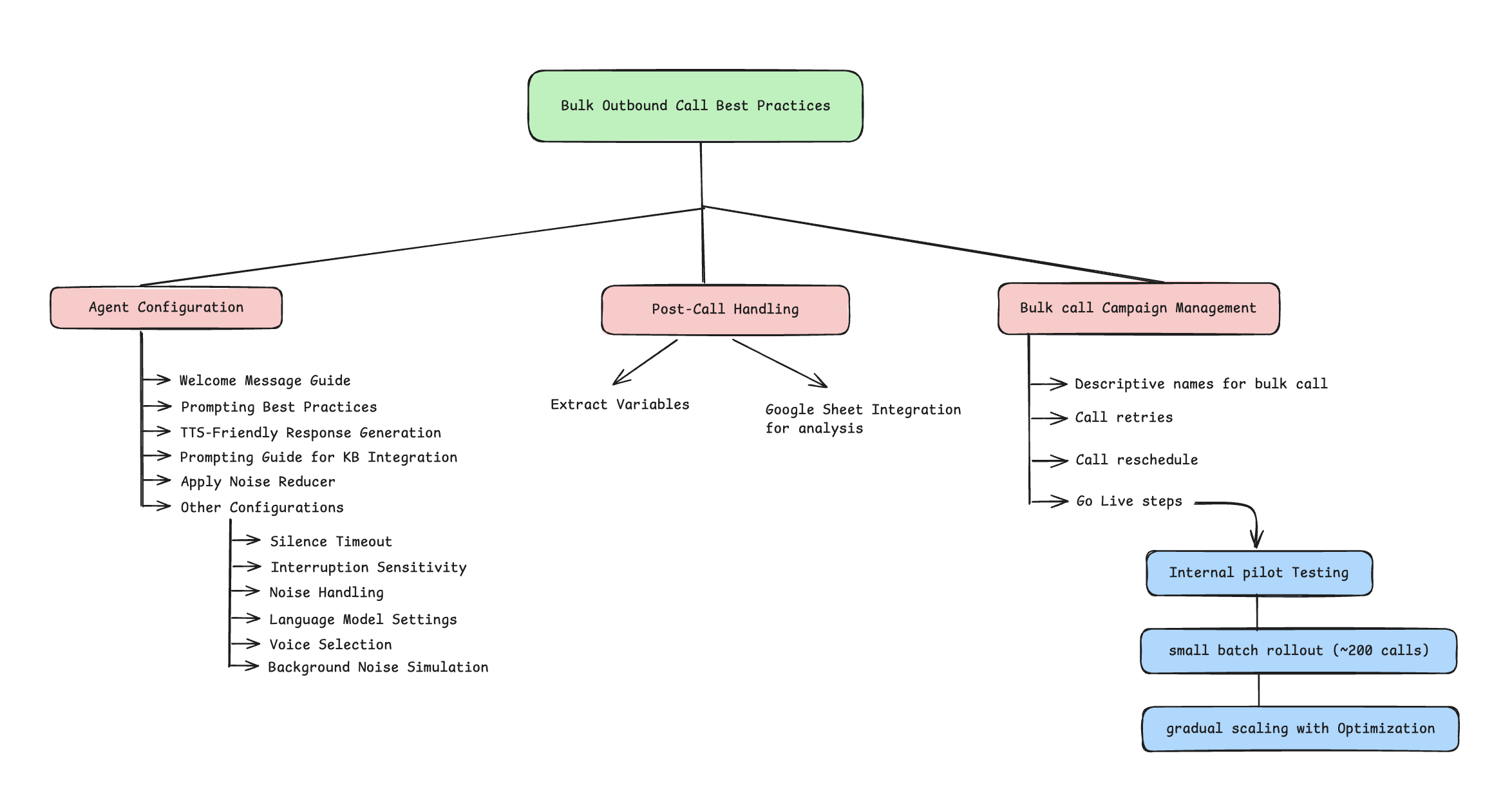
Agent configuration
Essential settings for optimal agent performance in bulk outbound campaigns.
Welcome message
- Keep it short and concise. e.g., "Hello, am I speaking with Aman?"
- Add personalization using variables (e.g.,
[name],[company]) - State purpose clearly after user acknowledges the call
- Test different variations for optimal response rates

Prompting best practices
- Start with simple prompts → test gradually → add scenarios and conditions
- Use one-shot and few-shot prompting for LLM efficiency. Example: "You are a sales agent. When user says they're busy, respond: I understand you're busy. Would 2 minutes next Tuesday work better?"
- For multi-lingual campaigns, include language-specific prompting guidelines. Example: "If user responds in Spanish, continue conversation in Spanish with appropriate cultural context"
- Add fallback instructions for unexpected user responses. Example: "If you don't understand the user's response, say: I want to make sure I understand you correctly. Could you help me clarify that?"
TTS-friendly response generation
- Write dates and numbers in spoken format
- Example 1, Good: "January fifth, twenty twenty-five" | Bad: "01/05/2025"
- Example 2, Good: "twenty-five dollars" | Bad: "$25"
- Example 3, Good: "CRM (see-are-em)", "API (ay-pee-eye)", "SQL (sequel)"
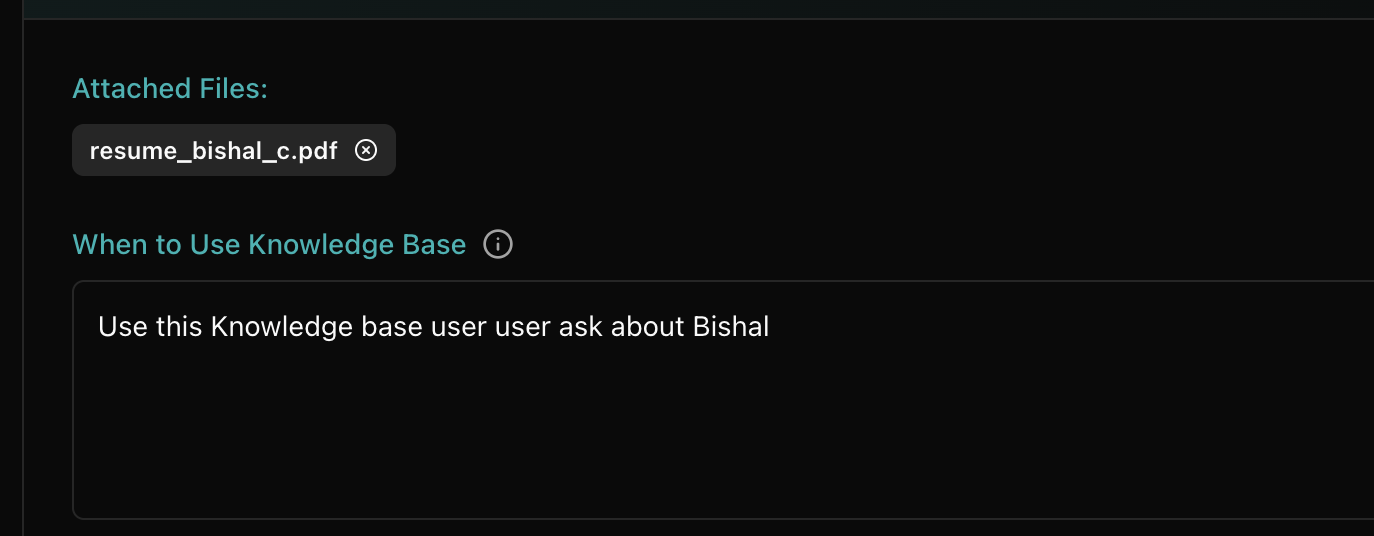
Prompting guide for KB integration
- Define specific triggers when the Knowledge Base should be consulted
Configurations
Configuration settings that impact call quality and user experience.
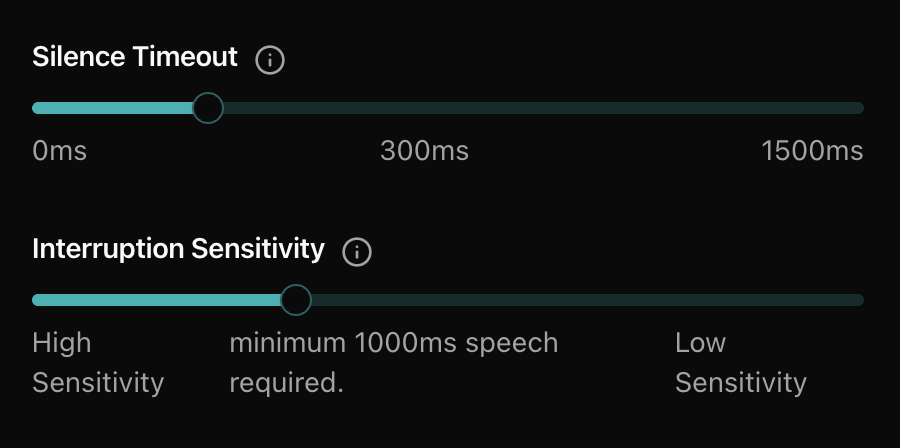
Silence timeout
- Time to wait after speech ends before generating a response
- Recommended: 300 ms (0.3 seconds) for optimal performance
- Adjust based on target demographic (e.g., older users need more time)
- Test different timeouts with pilot campaigns
Interruption sensitivity
- Controls how quickly the assistant stops speaking when the user starts talking
- If speech doesn't reach the set threshold (ms), audio is ignored
- 150 ms (high sensitivity): very sensitive, may trigger on background speech
- 600 ms – 1s (medium): balanced, best for natural conversations
- 1000 ms – 3000 ms (low): less sensitive, may miss short replies ("yes", "no")
- Start with 600–1000 ms for most cases
- Test interruption handling in different scenarios to find optimal setting
Noise handling
- Apply noise reducer to minimize background environmental sounds (fan, traffic, etc.)
- Does not cancel out active conversations or background talking
- Test with different ambient noise scenarios
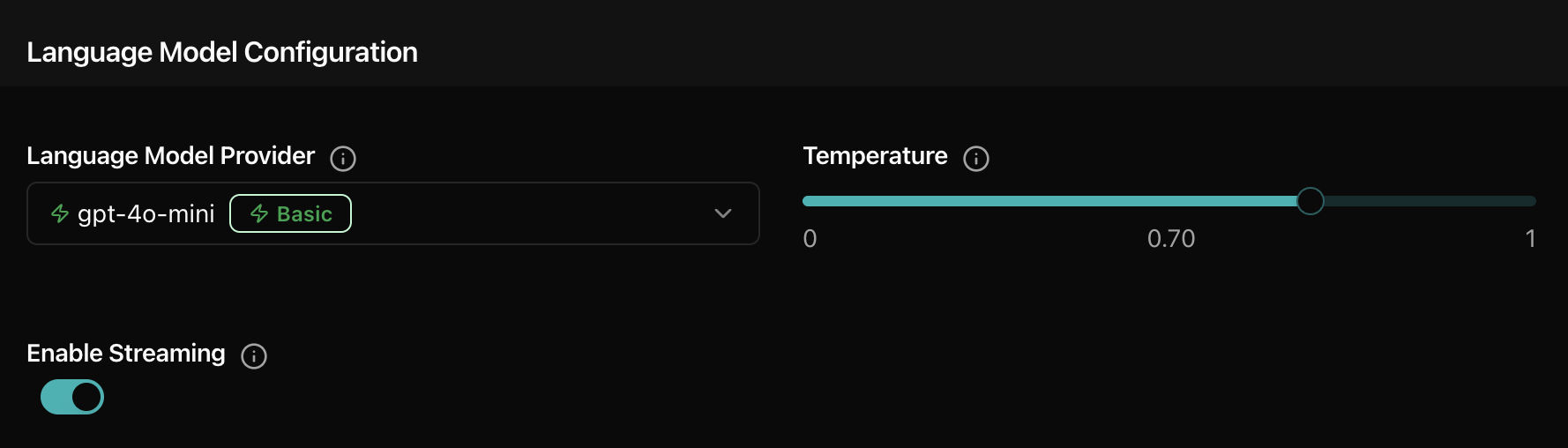
Language model settings
- Choose LLM based on conversation complexity and speed needs
- Start with GPT-4o-mini for balanced performance
- Enable streaming for real-time, low-latency responses
- Set temperature: 0.2–0.4 for factual, 0.5–0.7 for natural / balanced tone
- Test different models with real conversation scenarios
- Continuously monitor trade-offs between response quality and speed
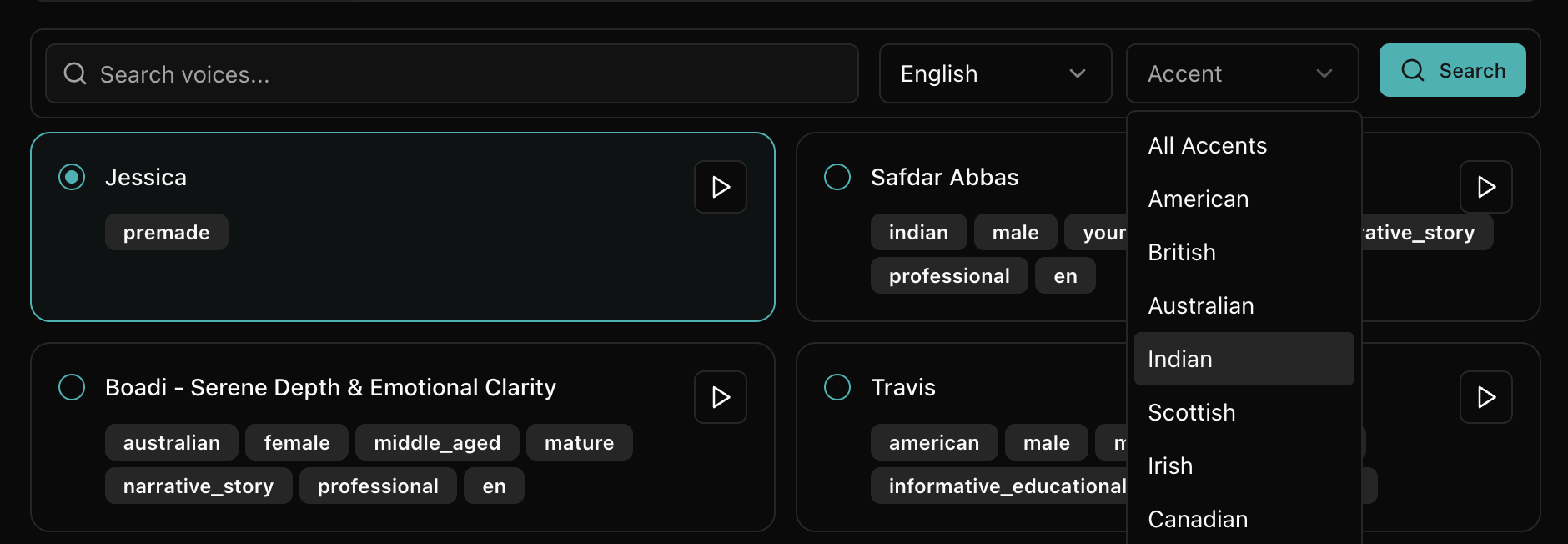
Voice selection
- Choose voice that matches your brand personality and target audience
- Consider regional accents for local market relevance
- Test voice clarity and naturalness with sample conversations
- A/B test different voices for optimal engagement rates
- Consider gender preferences based on campaign type and audience
Background noise simulation
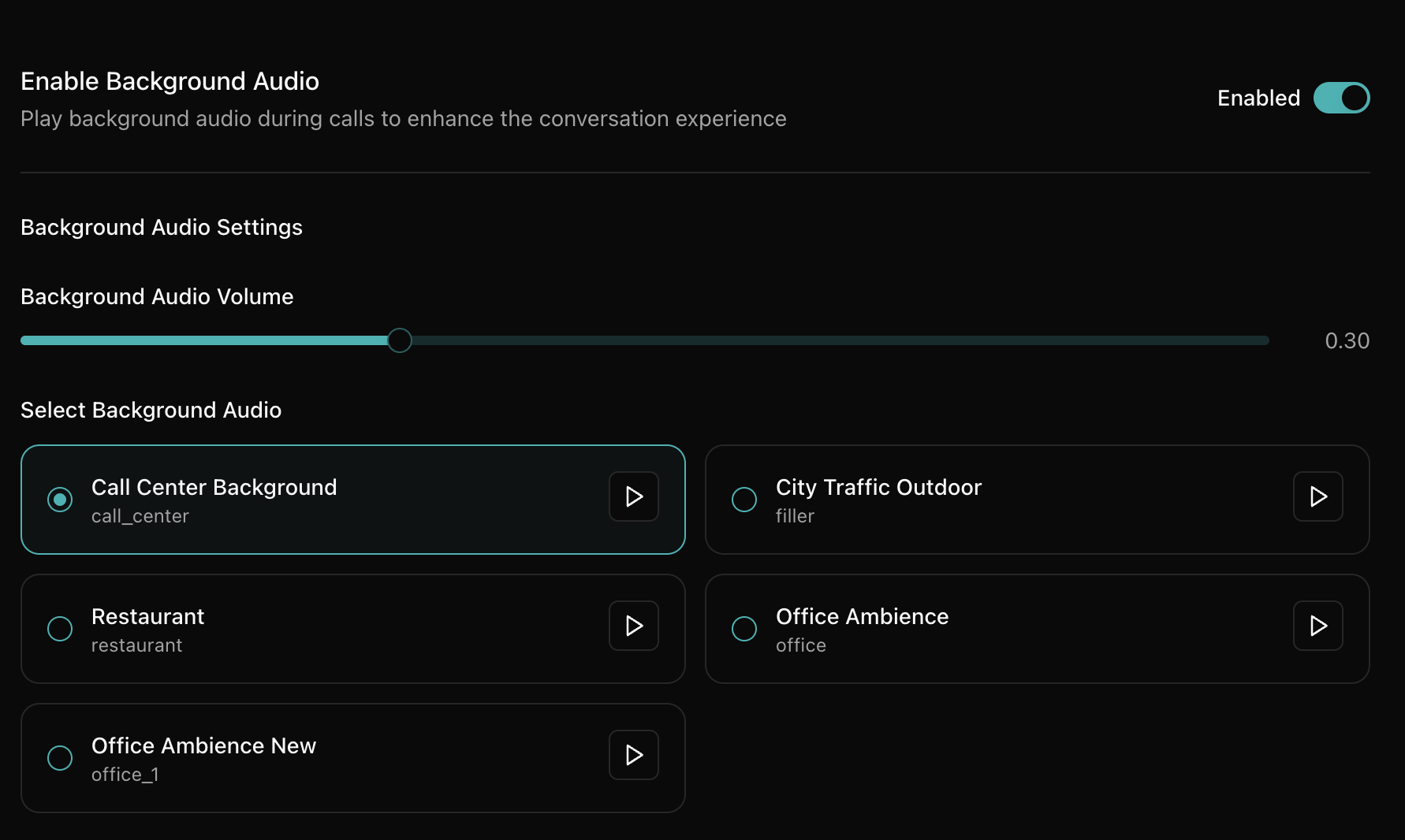
- Add subtle background noise for more natural feel (optional)
- Choose appropriate environment sounds (office, restaurant, etc.)
- Keep volume low to avoid distraction from main conversation (e.g., 0.30)
- Test impact on call quality and user perception
Post-call handling
Comprehensive data extraction and follow-up processes for maximum campaign value.
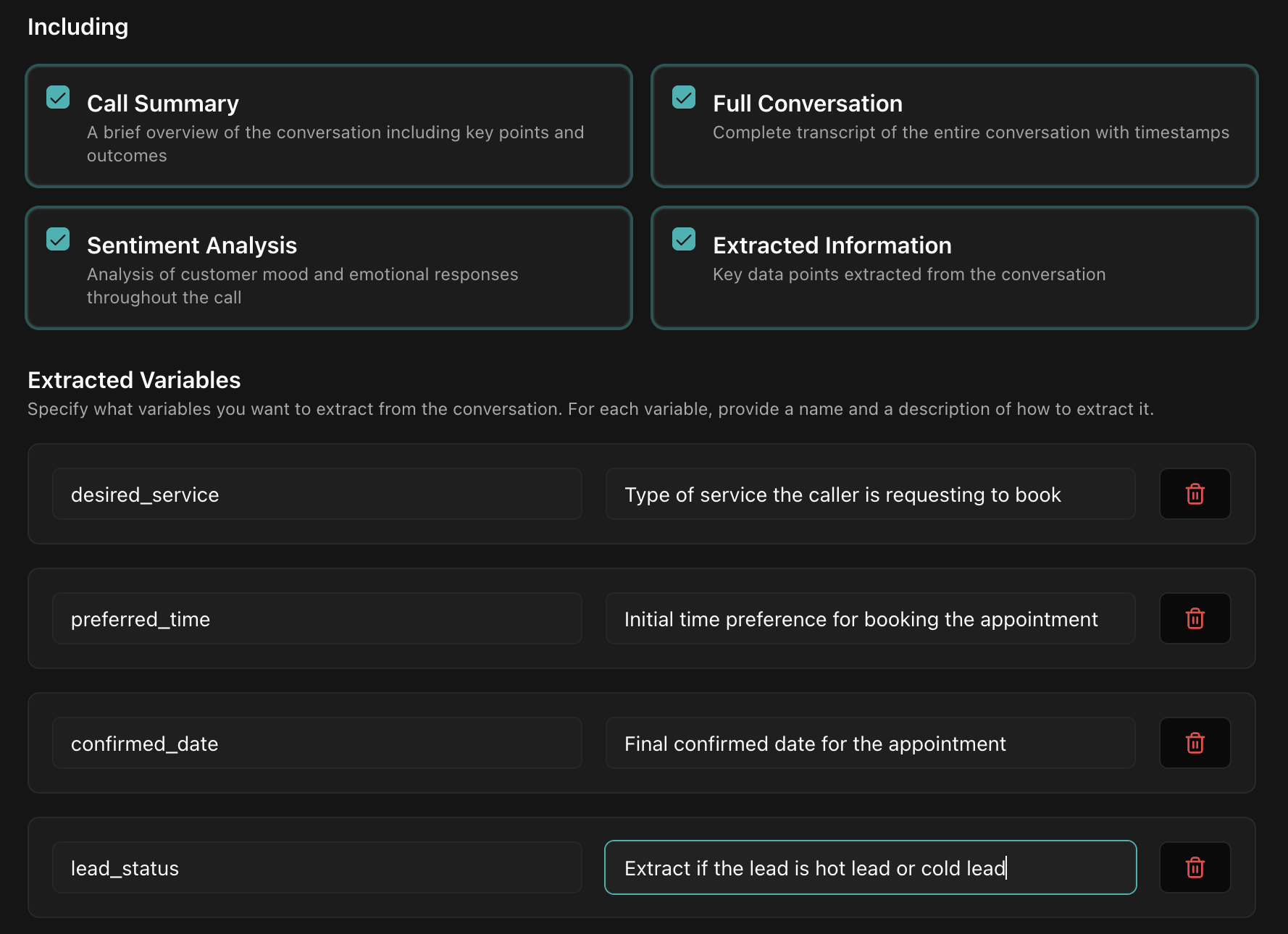
- Save complete transcription for quality analysis and compliance
- Generate structured call summary with key points and outcomes
- Extract predefined variables relevant to campaign objectives
- Example 1, lead qualification: hot lead, warm lead, cold lead, not qualified
- Example 2, intent level: high interest, moderate interest, low interest, not interested
- Add Google Sheet post-call for data analysis and reporting
Bulk call guidelines
Strategic approach for successful bulk campaign execution.
Campaign management
- Use descriptive, date-stamped campaign names (e.g.,
Q3_Product_Launch_East_Coast_2024) - Include context columns matching agent variables (name, company, industry, etc.)
- Configure timezone-aware scheduling for optimal call timing
Call rescheduling and retry
Optimizing follow-up strategies for maximum coverage and compliance.
Rescheduling configuration
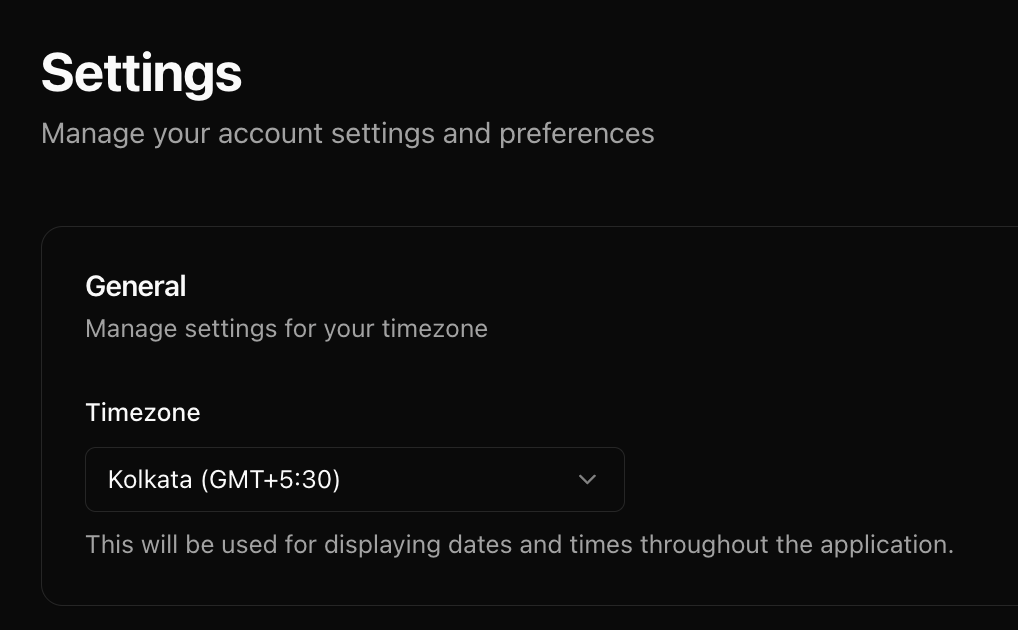
- Update timezone handling for accurate scheduling across regions
- Add specific prompts for handling rescheduling requests naturally
- Example: if customer requests rescheduling, ask for the new date and time to call back
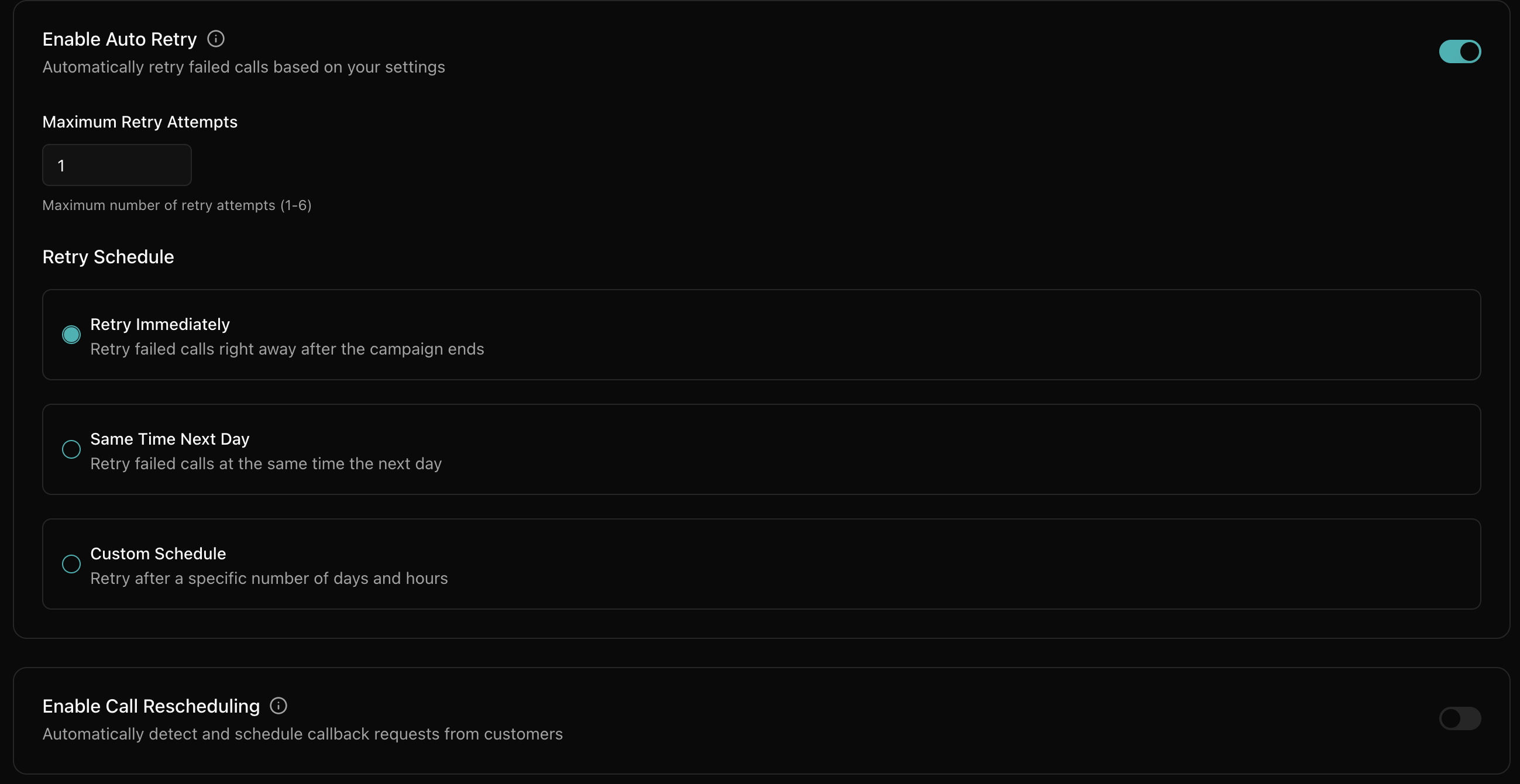
Retry strategy
- Configure maximum retry attempts per number (typically 2–3 times)
- Space retries appropriately: 24–48 hours between attempts
How to go live with bulk calls
Strategic approach for successful bulk campaign execution.
Pilot internal testing
- Start with 5–10 internal test calls using sample numbers
- Test different conversation scenarios and edge cases
- Verify agent responses to common objections and questions
- Check technical functionality: call quality, data extraction, integrations
- Document issues and optimize before real user testing
Small batch rollout
- Dispatch initial batch of ~200 calls to real prospects
- Monitor calls in real-time during initial hours
- Track key metrics: pickup rate, conversation length, completion rate, success rate, etc.
- Collect immediate feedback from answered calls
- Pause campaign if major issues are detected
- Analyze results before proceeding to larger volumes
- Optimize based on real-world performance data
Scaling approach
- Scale gradually: 200 → 500 → 1000 → larger volumes
- Wait for performance stabilization before each scaling step
- Monitor system performance and call quality at each scale
Analysis and optimization
Data-driven approach to continuous campaign improvement.
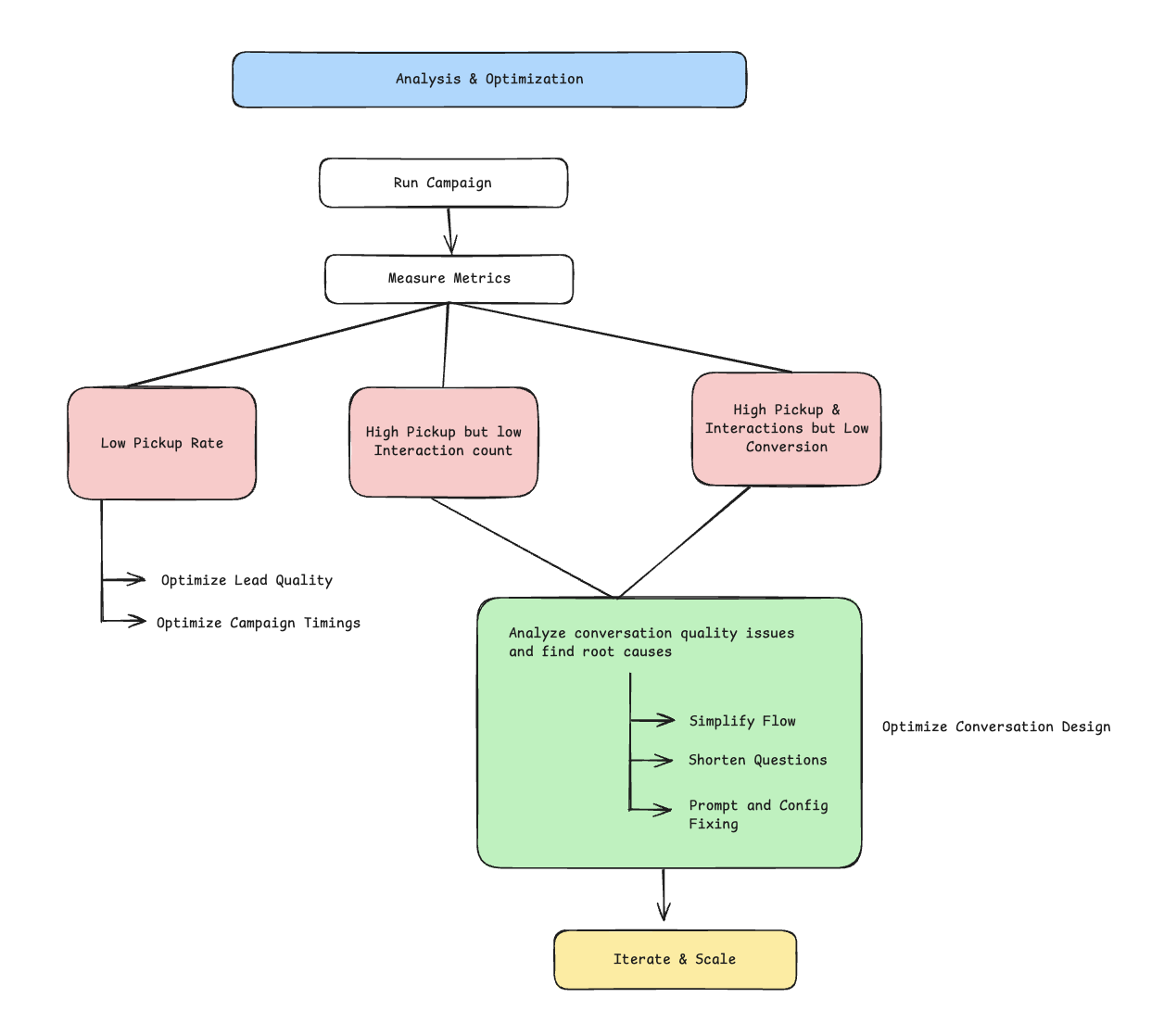
Measure key metrics
- Pickup Rate: track by time of day, day of week, lead source, geography
- Conversation Duration: average length, completion rate, early hang-ups
- Interaction Count: back-and-forth exchanges indicating engagement level
- Conversion Rate: percentage achieving primary campaign objective
- Lead Quality Score: hot / warm / cold lead distribution from calls
- Agent Performance: response accuracy, objection handling, flow adherence
- Technical Metrics: call quality, connection success, system performance
Diagnose issues
Common scenarios and their specific optimization strategies.
Scenario A: Low pickup rate (< 20%)
- Analyze lead quality: source, age, verification status
- Optimize call timing: test different hours, days of week, seasonal patterns
- Implement local number presence for better pickup rates
- Analyze geographic and demographic pickup patterns
Scenario B: Good pickup (> 30%) but low interactions (< 3 exchanges)
- Simplify opening conversation flow and reduce complexity
- Shorten bot questions and responses for better engagement
- Clarify value proposition in opening line within first 10 seconds
- Reduce cognitive load with simpler language and concepts
- Test different conversation pacing and natural pauses
- Improve interruption handling and conversation recovery
- A/B test different opening scripts and value propositions
Scenario C: High pickup and interactions but low conversion (< 10%)
- Analyze conversation quality issues in detail
- Objection handling: review common objections and response effectiveness
- Interruption management: ensure natural conversation flow recovery
- Clarification requests: improve agent's ability to understand and respond
- Value communication: strengthen benefit articulation and relevance
- Call-to-action clarity: make next steps obvious and compelling
- Trust building: enhance credibility indicators and social proof
- Closing techniques: improve commitment and follow-through processes
Optimize conversation design
- Adjust prompts based on actual conversation patterns and outcomes
- Improve objection handling with real examples from call analysis
- Enhance agent training data with successful conversation examples
- Test new conversation flows with A/B testing methodology
Iterate and scale
- Run new test batch with updated conversation flow and configuration
- Compare performance metrics against baseline from previous iterations
- Continue optimization cycles until metrics stabilize at acceptable levels