
Voice cloning
Clone your voice and use it with your AI agents for a personalized experience.
Voice cloning lets you create a digital replica of your own voice. Once created, you can assign it to any of your AI agents so that they speak in your voice during live calls. This makes your agents sound more natural and personal, improving the listener's experience.
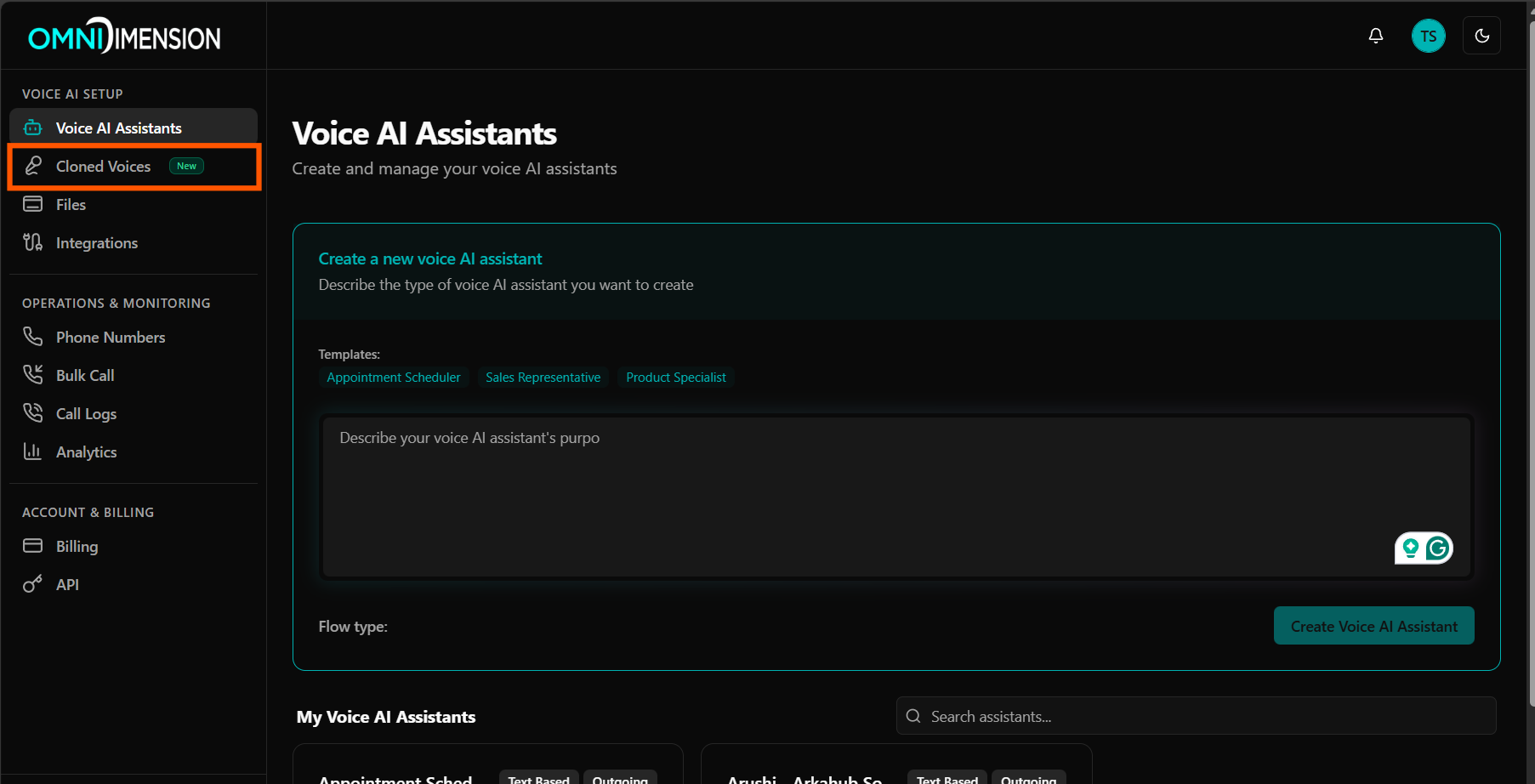
Navigate to Cloned Voices
From the main dashboard, open the sidebar and click on Cloned Voices. This is your central hub for managing all voice clones.
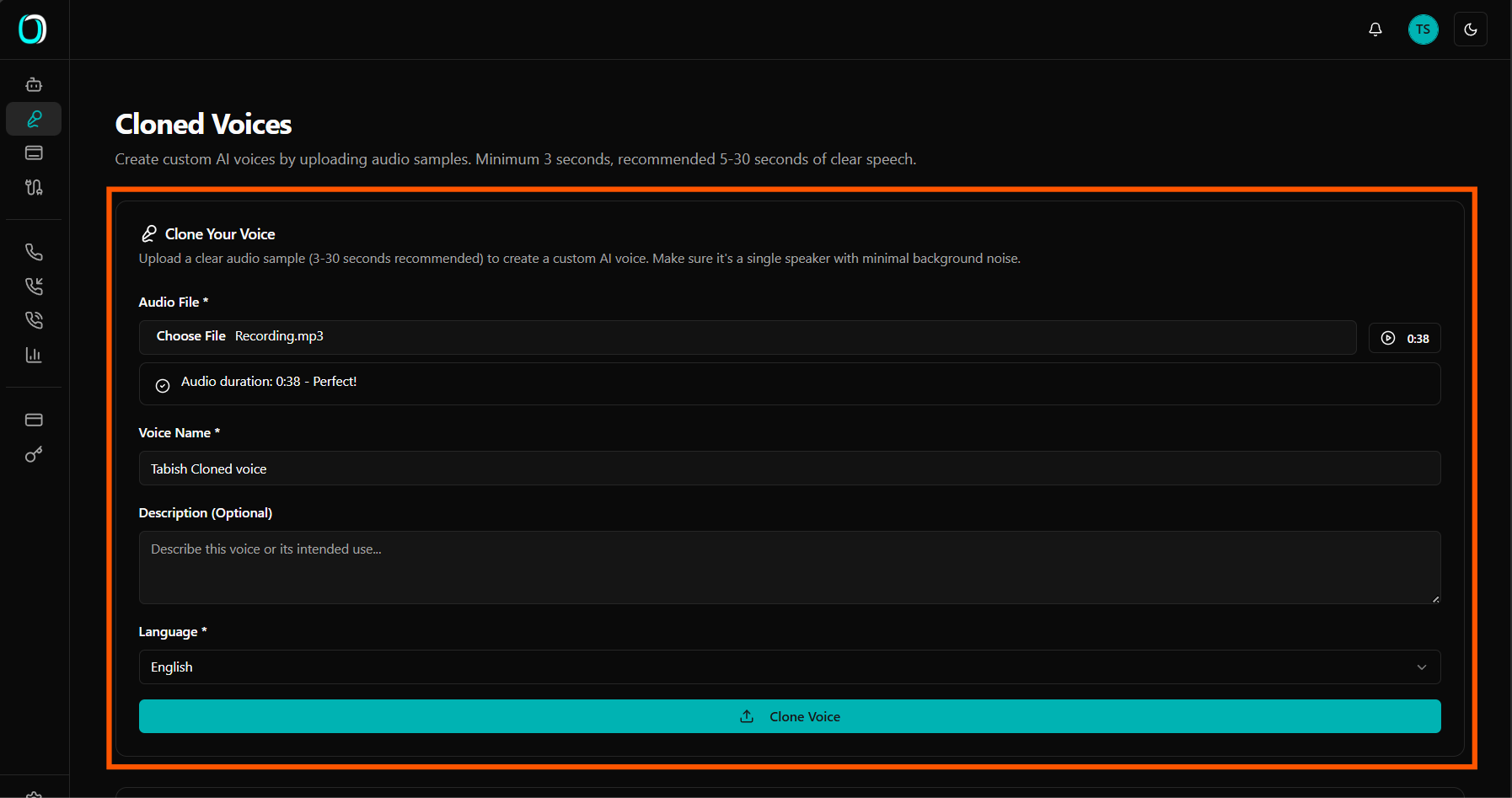
Upload your audio sample
Click the button to create a new cloned voice. Fill in the form with a name for your voice, select the language, and upload an audio sample of yourself speaking. For best results, use a clear recording of at least 10 seconds with minimal background noise.
- Give your cloned voice a recognizable name
- Select the language that matches your audio sample
- Upload an MP3, WAV, or WebM audio file (minimum 20 seconds)
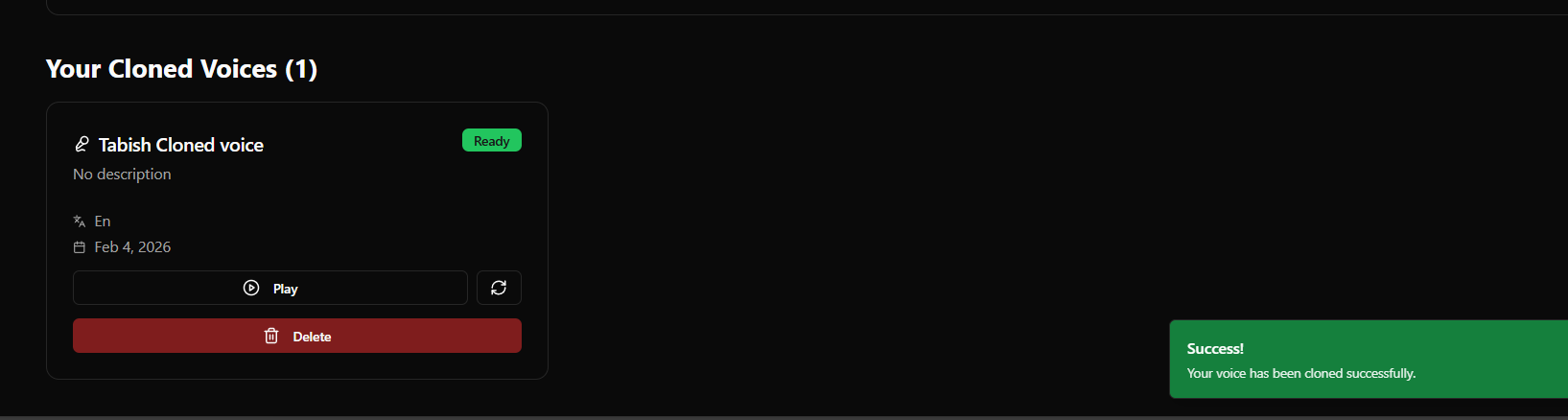
Voice created successfully
Once the upload is processed, your cloned voice will appear in the list with a Ready status. It is now available to assign to any of your agents.
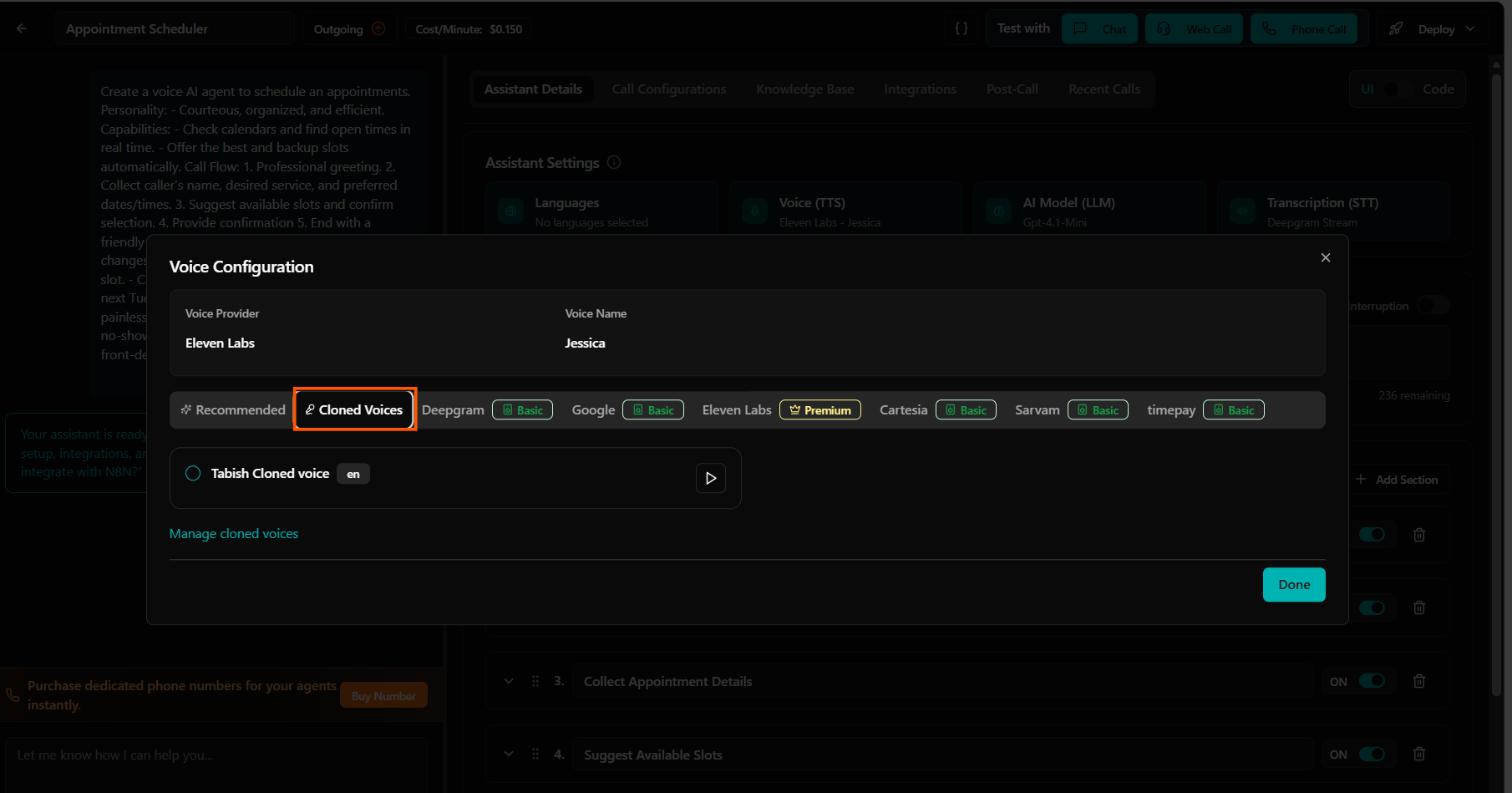
Use your cloned voice in an agent
Open any agent's settings and go to the Voice tab. Switch to the Cloned Voices tab to see your available voice clones. Select the voice you just created and save the agent configuration. The agent will now use your cloned voice on all future calls.
- Open an agent and navigate to the Voice configuration tab
- Click on the Cloned Voices tab
- Select your cloned voice from the list
- Save the agent to apply the change